Guide
App Store screenshots for games: best practices
October 26, 2026 · 4 min read
Game screenshots need to show what a player does and why the next moment is worth reaching. Artwork can set the mood, but the sequence should still explain the playable experience.
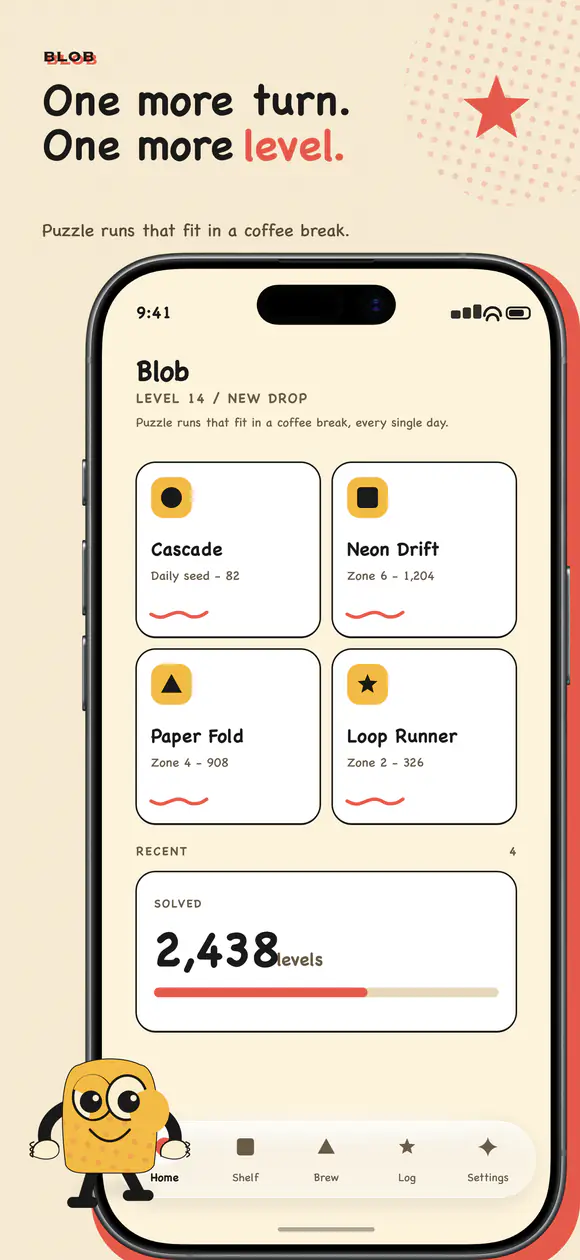
Real template preview · slide 01
Make the move
Show the real core action.
Show gameplay early
Lead with a real gameplay moment that makes the genre and core action recognizable. Keep important characters, controls, and objectives visible; avoid an opening image that could be mistaken for key art alone.
Explain the core mechanics
Give each slide one mechanic or decision to notice. A concise caption can identify the action while the screenshot shows its context. Use real game states and avoid adding interface elements that players will not encounter.
Make progression easy to follow
Use later slides to show how a run, level, collection, or character develops. A simple sequence can communicate variety better than several unrelated scenes, especially when the changes are visible at a glance.
Use characters and seasonal content selectively
Feature a recognizable character when it helps explain the game, and keep seasonal artwork aligned with content available in the app. A temporary campaign should not make the evergreen listing look inaccurate after the event ends.
Keep the composition readable
Avoid collages that combine tiny gameplay panels, decorative labels, and several competing headlines. Check each image at store preview size and verify the crop, orientation, and current platform requirements before upload.
A sample sequence for a mobile game
A puzzle game might open with a board mid-move, then show the rule that makes a level interesting, a later progression state, and a collection or customization system. An action game might lead with combat, follow with a distinctive mechanic, then show equipment or cooperative play if those features matter to the decision.
The order should follow the questions a new player is likely to have: what do I do, what makes it different, and what keeps the experience varied? Use the actual game’s strongest moments rather than forcing every genre into the same storyboard.
Capture representative gameplay states
Capture clean states from the current build, with readable UI and no temporary debug labels, notifications, or account data. If a level is difficult to reach, use the development workflow to capture it, then confirm the final image still represents a state players can encounter.
Before submission, check that characters, rewards, and seasonal events shown in the artwork are available in the advertised version or clearly described as upcoming where store policy permits.
Adapt the story to the game genre
A strategy game may need to show a decision and its consequence, while a runner can make movement and obstacles obvious in one frame. A collection game may need a progression or reward example. Start with the mechanic that best distinguishes the experience.
Avoid borrowing another genre’s visual language just because it is common in store listings. If the screenshots imply combat, multiplayer, or rewards that are not central to the game, visitors can form the wrong expectation.
Prepare captures for different screens
Check whether the game’s orientation and UI remain legible on each supported device family. A tablet capture can reveal more of a scene, but it should not simply enlarge phone controls or leave the key action too small.
Keep a source capture for each layout and export a separate composition where the aspect ratio changes. Verify the current store slots and maximum image counts before building a large set.
Storyboard before capturing
Write one sentence for every planned slide: what happens in the scene and what the viewer should learn. A storyboard can reveal repeated claims before anyone spends time replaying a level or cleaning up captures.
For each frame, note the build, level, character, and UI state. That record helps a teammate recreate a capture and confirm it still exists in the version submitted to the store.
Plan for platform and storefront review
Capture the game without emulator controls, debug overlays, notifications, or player-specific data. Check any collaboration, multiplayer, or user-generated content shown in the image against the actual experience and the store’s current content policies.
If the game uses live events, plan which screenshots are evergreen and which belong to a limited campaign. Keep a replacement set ready so the listing can return to its regular presentation after the event.
Adapt the sequence to a new audience
A family-friendly audience, a competitive player, and a returning fan may care about different evidence. Change the order only when the target storefront or product page supports that audience-specific presentation, and make sure each version remains accurate.
For localized game listings, review character names, jokes, genre terms, and event references with a fluent reviewer. Literal translation can make a mechanic sound unfamiliar or change what a caption promises.
Plan a game screenshot sequence
Choose a visual direction, then give each gameplay moment its own canvas.
Open App Snaps